
A Better Bill Pay Experience

What’s New with Bill Pay
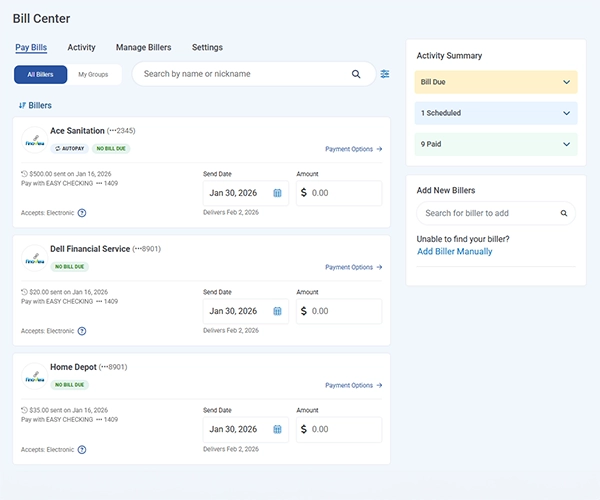
We upgraded Bill Pay to a new, enhanced platform powered by Paymentus—designed to make paying your bills easier, faster, and more secure than ever.
With this upgrade, you’ll enjoy:
- A modern, streamlined experience
A cleaner interface that’s easier to navigate on desktop and mobile. - Faster payment processing
Get payments delivered more quickly and efficiently. - Enhanced eBill support
View and manage electronic bills from participating billers (where available). - Improved security and tracking
Greater visibility into payment status with enhanced protection.
Not a member yet? Join Our Family!
Get started with these simple steps:
Just visit the "Payments" tab in Online Banking or the Mobile App and select "Bill Pay Dashboard".

People Usually Ask:
-
What do I need to do in the new Bill Pay?
Existing users will see all of their current billers in Smart View and will be guided through the new experience by a Welcome Wizard. First‑time users will be taken through an intuitive walkthrough to help them set up their billers quickly and easily.
-
Why is Bill Pay changing?
We’re upgrading to Paymentus to give you a faster, more reliable, and more flexible Bill Pay experience with improved payment tracking, security, and mobile usability.
-
Will my existing billers (payees) transfer automatically?
Yes, billers (payees) will transfer automatically. However, we recommend that you log in after the update to check out the new experience and verify all is correct.
-
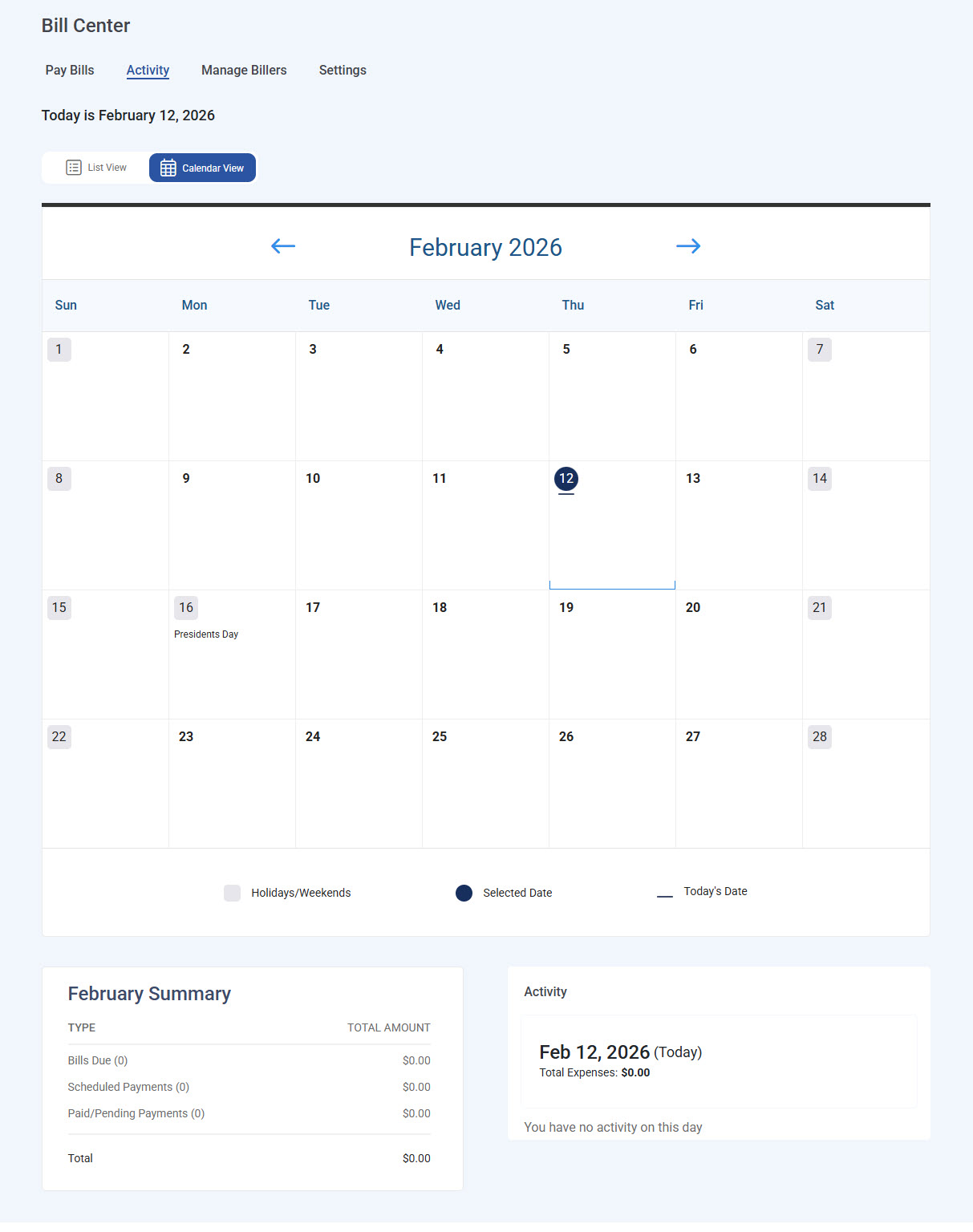
Within Bill Pay, where can I locate a monthly report that includes all my bills and their total amounts?
Navigate to the Payments tab, select Activity>Calendar View, and review scheduled or past bills.
-
Do I need to re-enroll in Bill Pay?
No. You will automatically have access to the new Bill Pay system as soon as it's live.
-
Will my payment delivery dates change?
Paymentus may process certain payments faster, but delivery times can vary by payee. Always check the “estimated delivery date” before confirming your payment.
-
Will I still receive payment reminders or alerts?
Your previous alerts may not transfer. Please re-enable:
- Payment reminders
- Due date alerts
- Delivery confirmations
Under Alerts & Notifications.
-
What if something looks incorrect after the upgrade?
If a payee, scheduled payment, or eBill did not transfer correctly, members can:
- Add or edit Billers (payees) manually
- Recreate recurring payments
- Contact Member Support for assistance
-
What are the new features of Bill Pay?
- Multi‑biller payments: Members can now select multiple billers, add them to a cart, and distribute payments in a single transaction—eliminating the need to pay each biller individually.
- Enhanced eBills: Improvements provide a more seamless and reliable eBill experience. SMS notifications: Members can choose to receive Bill Pay notifications by email or text message under Settings.
- SMS notifications will be sent from (855) 433‑6708
Note: These changes will happen in desktop and mobile